---
title: "Rich Text Editor attributes"
slug: "rich-text-editor-attributes"
description: "Learn how to use advanced options to format text in quotes. "
updated: 2024-07-28T18:45:12Z
published: 2024-07-28T18:45:12Z
canonical: "docs.zilliant.com/rich-text-editor-attributes"
---
> ## Documentation Index
> Fetch the complete documentation index at: https://docs.zilliant.com/llms.txt
> Use this file to discover all available pages before exploring further.
# Rich text editor attributes
By default, quote and line item attributes in proposals are formatted using rich text editor styling.
However, some attributes may contain long text strings that are difficult to view. In this case, you can use **Advanced Editor** annotation to improve the format of attribute text.
## Apply Advanced Editor annotation
1. From the application left navigation area, select **Administration**.
2. From the top navigation bar, select **Content Management**.
3. Select **conf > ontology**.
4. Select to download the **application-schema-ext.owl** file.
5. Select the file to open it.
6. Select a specific quote or line item attribute and apply advanced editor annotation to display the attributes.
#### Example quote attribute
The following example shows the **quoteExtra** attribute marked with **advancedEditor** annotation:
```
Angebot Extra
Quote Extra
true
```
#### Example line item attribute
The following example shows the **lineitemtextforETO1** attribute marked with **advancedEditor** annotation.
```
ETO Text 1
true
```
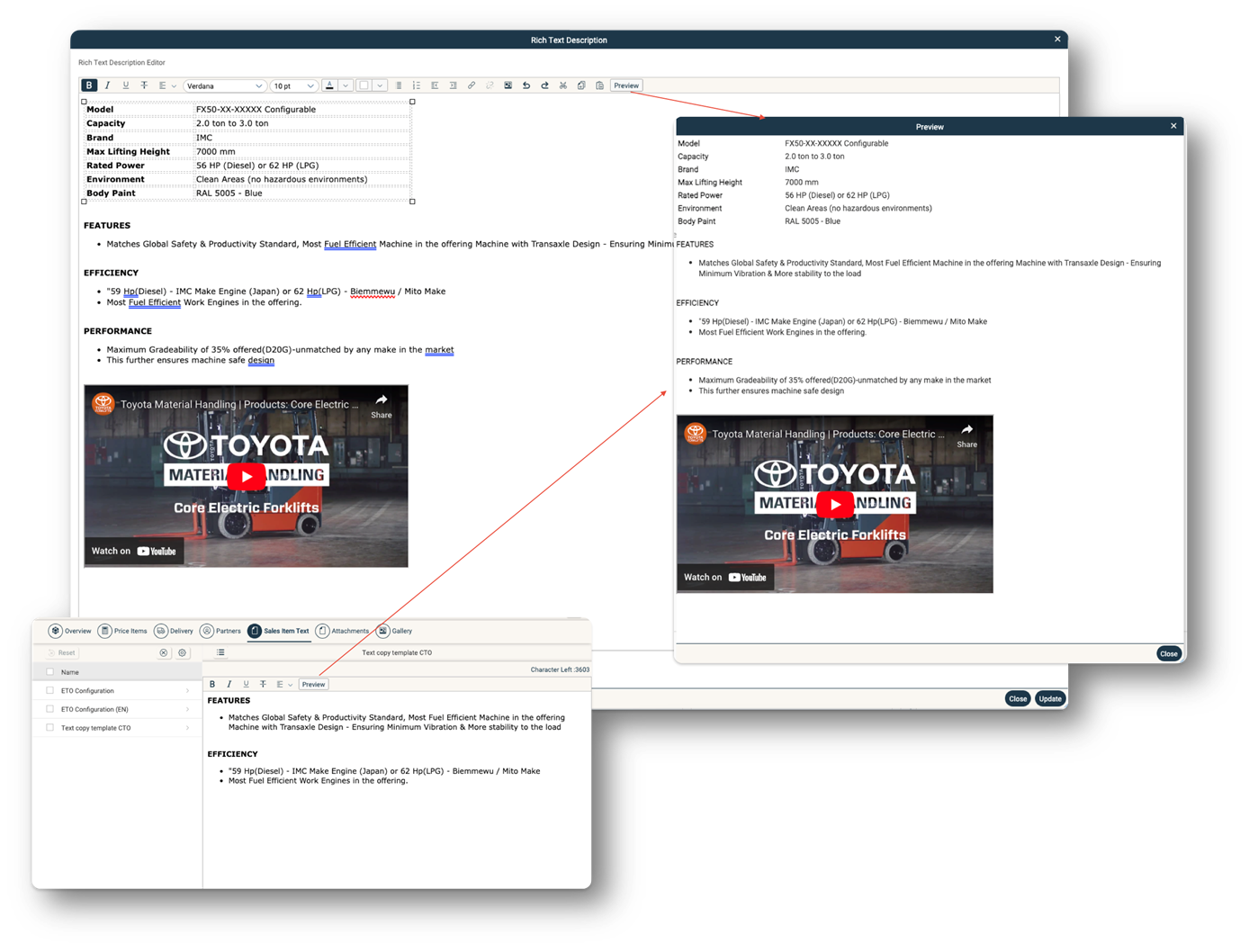
### Rich text editor content preview
Select the **Preview** button to preview content before publishing.